1 Month
1 Connection
$14USD
Billed once for 1 month
- 20,000 live TV channels
- 40,000 movies, series & TV shows
- 4K, UHD, FHD & HD quality options
- Real-time TV guide (EPG)
- Android, iOS, PC & Smart TV
- 1 screen at the same time

USA · UK · Germany
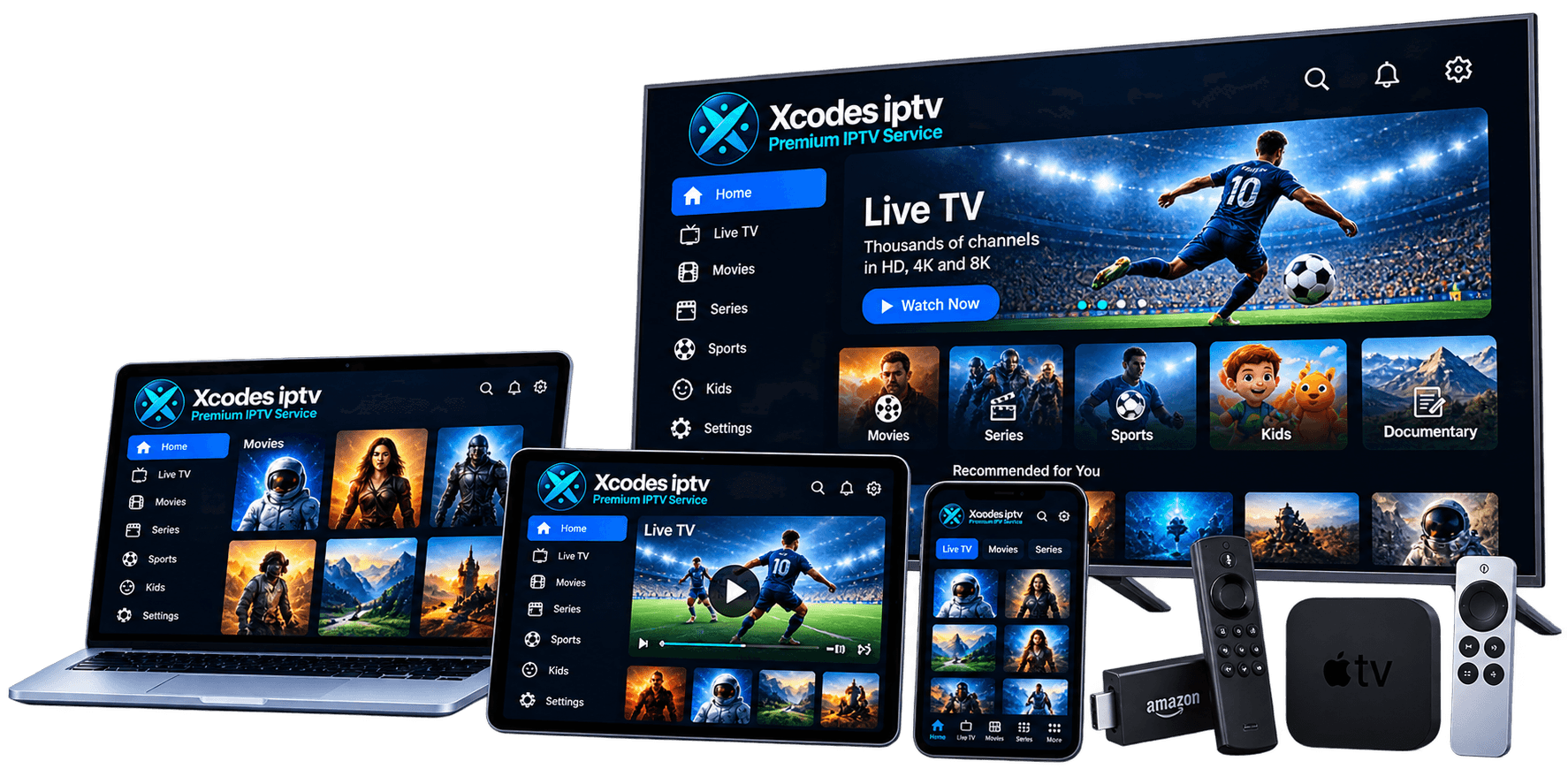
Your Entertainment, Your Devices, Your Way.
Explore XCodes IPTV plans, live TV channels, movies and on-demand entertainment. Discover compatible devices, learn how to set up your service, and find the right viewing options for your home.
Overview
XCodes IPTV is a subscription that streams live TV and on-demand video over your home internet to an IPTV player app on the devices you already own — no satellite dish, cable box or contract required.
You receive one standard Xtream Codes login (server URL, username and password). Enter it in a compatible app and your channels, films, series and TV guide load together. New to the format? Read XCodes IPTV explained.
Transparent pricing
Published prices from $14 for 1 month, shown on the pricing page.
1 to 5 screens
Choose how many devices can watch at the same time.
One standard login
Works in the most popular IPTV player apps.
Step-by-step help
Original setup and troubleshooting guides for every device.
Features
See every capability on the XCodes IPTV features page.
Streaming quality
| Login format | Xtream Codes API or M3U playlist |
|---|---|
| TV guide (EPG) | Included |
| Maximum resolution | 4K (UHD), with FHD and HD options |
| Connections per plan | 1 to 5 — you choose when ordering |
| Activation | Confirmed at purchase |
| Automatic renewal | No — plans do not renew |
| Currency | USD |
| Payment methods | Confirmed at purchase |
Compatible devices
Compare every platform on the supported devices page.
Plans & pricing
How many screens will watch at the same time?
1 connection = 1 screen playing at a time
1 Connection
$14USD
Billed once for 1 month
1 Connection
$29USD
Billed once for 3 months
≈ $9.67/month · save 31%
1 Connection
$49USD
Billed once for 6 months
≈ $8.17/month · save 42%
1 Connection
$75USD
Billed once for 12 months
≈ $6.25/month · save 55%
See all prices, connections and terms on the XCodes IPTV pricing page.
Installation & activation
Pick 1, 3, 6 or 12 months and how many screens (1–5) will watch at the same time.
Compare plansAfter payment you get your login: a server URL, username and password, plus an M3U link if your app needs one.
How the login worksInstall a recommended IPTV player on your Smart TV, Firestick, Android or Apple device from an official store.
Recommended appsChoose “Xtream Codes” in the app, enter your details exactly, and wait a minute for channels and the TV guide to load.
Full installation guideAvailability
Plans are offered to customers in all three countries, priced in USD. Devices, TV-guide time zones and local rules differ, so our guides cover each market.
FAQ
XCodes IPTV is a subscription that delivers live TV and on-demand video over your internet connection to a player app on your TV, streaming stick, phone or computer. The name comes from Xtream Codes, the login format (server URL, username and password) used by most IPTV player apps.
XCodes IPTV explainedInstall an IPTV player app on your device, choose the Xtream Codes login option and enter the server URL, username and password you receive after ordering. Most setups take a few minutes; the installation hub has a step-by-step guide for every device.
XCodes IPTV setup guidesAs a working guide, allow around 10 Mbps for a stable HD stream and 25 Mbps or more for 4K, per screen, on a connection that stays steady. Consistency matters more than peak speed, and wired Ethernet beats Wi-Fi.
Internet speed for IPTVYes. You can install your login on as many devices as you like, but the number that can play at the same time is limited by the connections in your plan. One connection means one screen at a time.
Plans and connectionsIPTV is a legal delivery technology. What matters is whether the provider has the rights to the content it distributes. Watching or selling unlicensed streams can break copyright law in all three countries, so only use services that can show they are authorised.
IPTV legality in the USA, UK and GermanyYou can reach support through the channels listed on the contact page.
Contact supportYour login works wherever your device has a stable internet connection, but hotel and public Wi-Fi often limit streaming, and content availability can depend on rights in each country. Check the terms of service before travelling, and remember the connection limit still applies.
Terms of serviceYour login details are sent after payment, together with setup instructions for your device. The expected delivery time is confirmed when you order.
Guides
Device Setup Guides
Set up XCodes IPTV on Firestick or Fire TV: check Fire OS vs Vega OS, install a player from the Appstore or with Downloader, then sign in.
Updated · 5 min read
Device Setup Guides
Watch XCodes IPTV on a Samsung or LG Smart TV: pick a player from the TV store, activate it, add your login and fix common issues.
Updated · 4 min read
XCodes IPTV Guides
Field-by-field guide to the XCodes IPTV login with Xtream Codes details or an M3U link, plus fixes for the most common login errors.
Updated · 4 min read
Troubleshooting & Performance
Stop IPTV buffering with a step-by-step diagnosis: restarts, real speed tests, Wi-Fi and Ethernet, app buffer settings and server issues.
Updated · 5 min read
Troubleshooting & Performance
Fix an empty, outdated or wrongly timed IPTV TV guide: how EPG data works, adding an XMLTV link, and time offsets for the USA, UK and Germany.
Updated · 4 min read
IPTV Basics
How much bandwidth IPTV needs per screen for SD, HD and 4K, why stability beats peak speed, data use per hour, and how to test your line.
Updated · 3 min read
Plans from $6.25 a month on 12 months, for 1 to 5 screens. Choose your plan and we'll help you set it up on your device.